Fix constant UAC prompts whenever launching a Steam game
Sometimes when you launch a Steam game, there will be a User Account Control prompt from Windows asking about Steam Client Service. This is to install any prerequisites such as Visual C++ or DirectX (why are these not preinstalled on Windows 11 already)
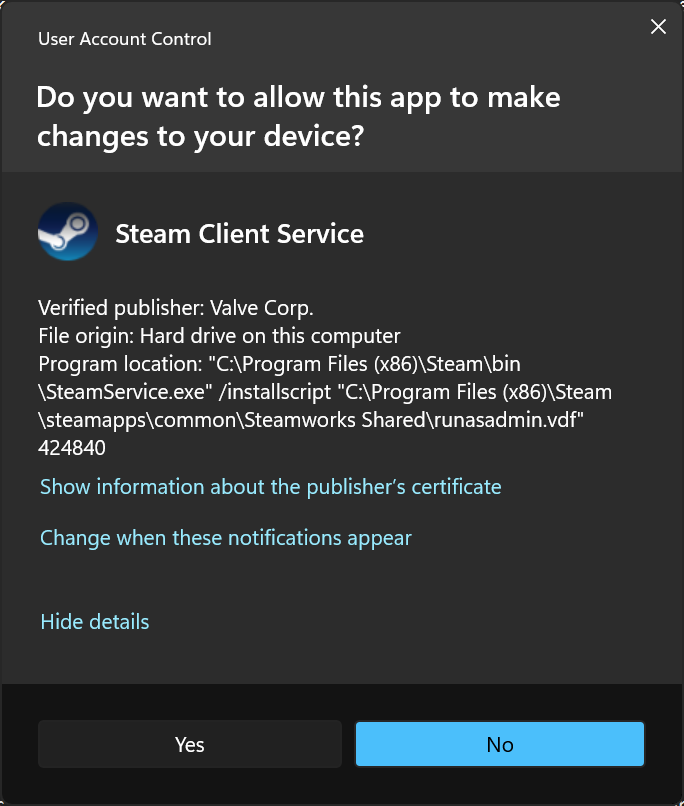
However, I am constantly getting UAC prompts every time I launch a game, even though these prerequisites are already installed, so let's figure out why.
The UAC prompt points to a install script at C:\Program Files (x86)\Steam\steamapps\common\Steamworks Shared\runasadmin.vdf and looking at its file contents:
"symlink"
{
}
"Run Process"
{
	"x86 Update 3 14.0.24215.0 1"
	{
		"Process"		"C:\\Program Files (x86)\\Steam\\steamapps\\common\\Steamworks Shared\\_CommonRedist\\vcredist\\2015\\Microsoft Visual C++ 2015 x86.cmd"
		"Command"		""
		"description"		"Microsoft VC Redistributable"
		"hasrunkey"		"HKEY_LOCAL_MACHINE\\Software\\Valve\\Steam\\Apps\\CommonRedist\\vcredist\\2015"
		"RunKeyName"		"x86 Update 3 14.0.24215.0"
		"MinimumHasRunValue"		"1"
		"ignoreexitcode"		"0"
		"IgnoreHasRunKey"		"0"
		"ValidExitCodes"		"1638"
		"Sequence"		"0"
		"environment"
		{
			"appid"		"228980"
		}
	}
	"x64 Update 3 14.0.24215.0 1"
	{
		"Process"		"C:\\Program Files (x86)\\Steam\\steamapps\\common\\Steamworks Shared\\_CommonRedist\\vcredist\\2015\\Microsoft Visual C++ 2015 x64.cmd"
		"Command"		""
		"description"		"Microsoft VC Redistributable"
		"hasrunkey"		"HKEY_LOCAL_MACHINE\\Software\\Valve\\Steam\\Apps\\CommonRedist\\vcredist\\2015"
		"RunKeyName"		"x64 Update 3 14.0.24215.0"
		"MinimumHasRunValue"		"1"
		"ignoreexitcode"		"0"
		"IgnoreHasRunKey"		"0"
		"ValidExitCodes"		"1638"
		"Sequence"		"1"
		"environment"
		{
			"appid"		"228980"
		}
	}
	"dxsetup 1"
	{
		"Process"		"C:\\Program Files (x86)\\Steam\\steamapps\\common\\Steamworks Shared\\_CommonRedist\\DirectX\\Jun2010\\DXSETUP.exe"
		"Command"		"/silent"
		"description"		"Microsoft DirectX"
		"hasrunkey"		"HKEY_LOCAL_MACHINE\\Software\\Valve\\Steam\\Apps\\CommonRedist\\DirectX\\Jun2010"
		"RunKeyName"		"dxsetup"
		"MinimumHasRunValue"		"1"
		"ignoreexitcode"		"0"
		"IgnoreHasRunKey"		"0"
		"ValidExitCodes"		"1638"
		"Sequence"		"2"
		"environment"
		{
			"appid"		"228980"
		}
	}
}
We can see that this game requested to install Visual C++ 2015 and DirectX, but those are already installed, so what's happening?
The hasrunkey registry key looks interesting, maybe that's how Steam determines if the prerequisite is already installed. Taking a look at the registry reveals that it's not there at all:
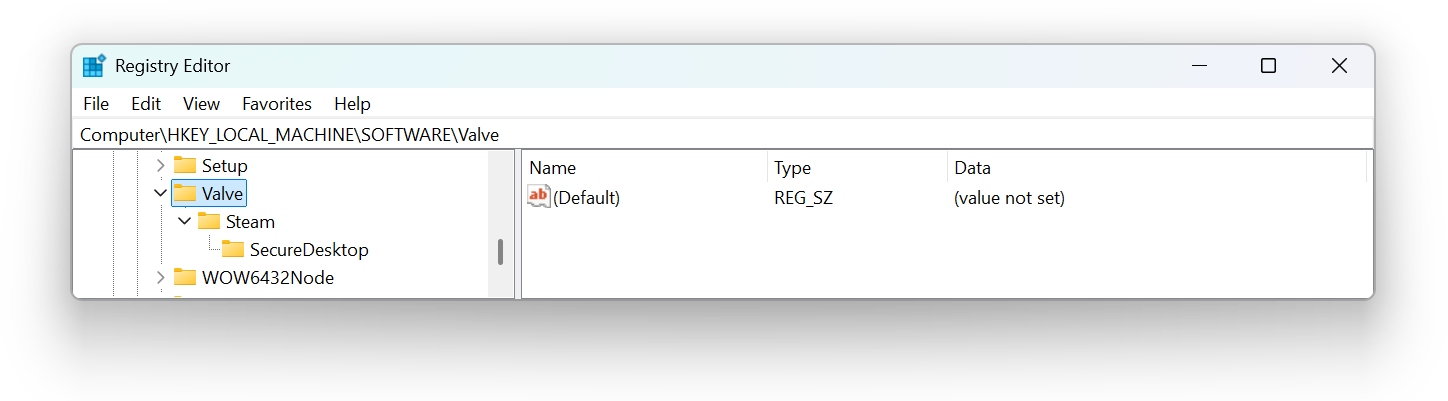
The actual registry key is nested inside WOW6432Node which makes me realize the root cause/problem.
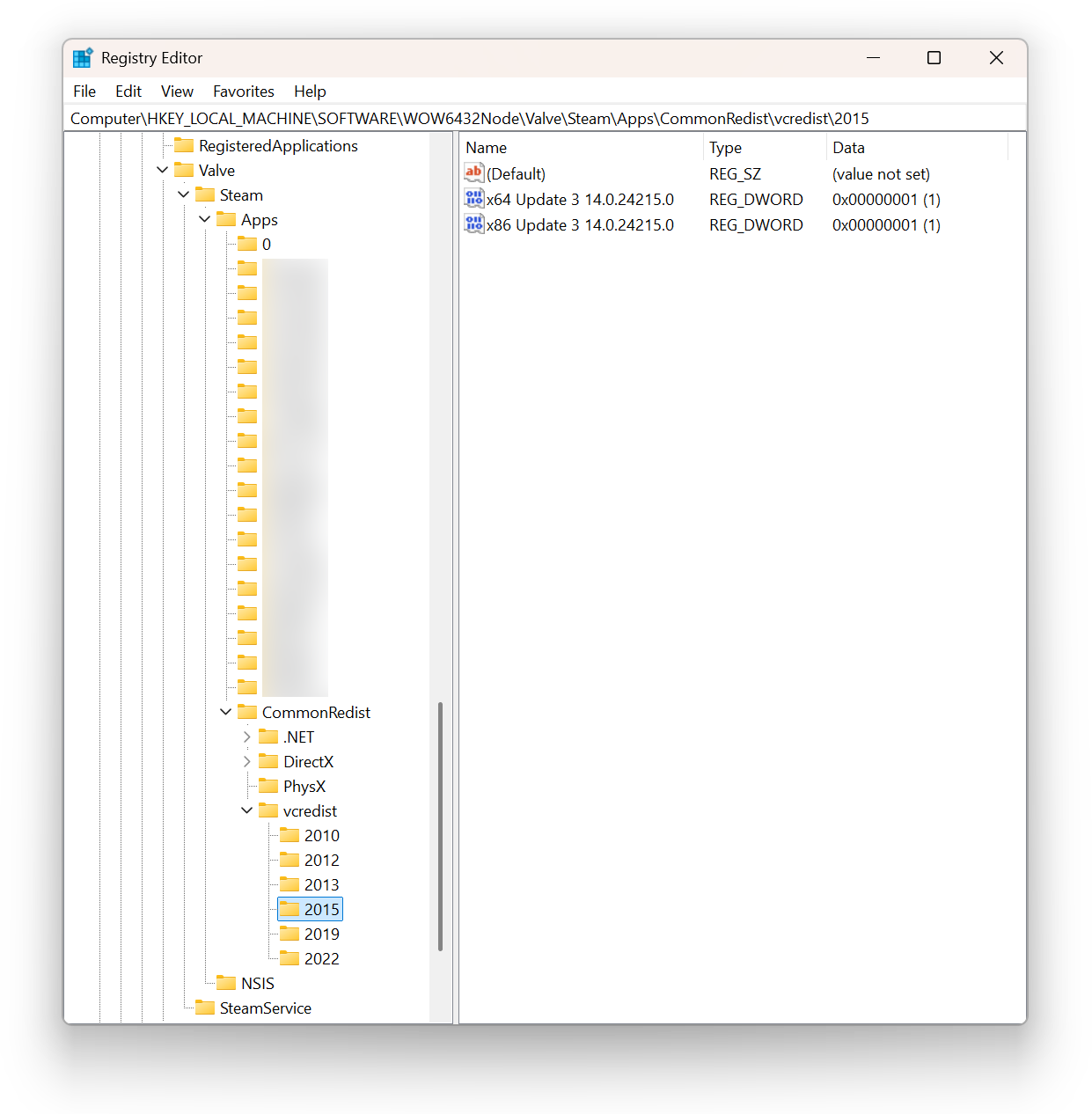
The Steam client used to be 32-bit, therefore 64-bit Windows would redirect 32-bit apps that attempt writing into HKEY_LOCAL_MACHINE\SOFTWARE to HKEY_LOCAL_MACHINE\SOFTWARE\Wow6432Node instead.
But now the Steam Beta Update is planning to switch to 64-bit which means no redirect is happening, so the hasrunkey check is failing.
The solution:
- Export the
CommonRedistkey fromHKEY_LOCAL_MACHINE\SOFTWARE\WOW6432Node\Valve\Steam\Apps - Use a text editor to edit the export file, remove
WOW6432Node\from everywhere so it becomesHKEY_LOCAL_MACHINE\SOFTWARE\Valve\Steam\Apps\CommonRedist - Import the edited file